Around the third song of a sold-out night at the O2 Academy Brixton, my wrist buzzed. My Apple Watch reckoned the room was loud enough to harm my hearing, and the ringing on the Tube home suggested it had a point.
That tap is a small example of something bigger: your phone and watch can now catch some genuine warning signs before you notice anything, but only a few of these features are clinically validated, and knowing which is which matters far more than any spec sheet.
The Noise app samples sound through the watch’s microphone, averages it over three minutes, and taps you when that average reaches a decibel threshold you pick in settings. Your iPhone keeps a separate seven-day tally for headphones, using the same yardstick as the World Health Organization’s safe listening guidance, updated in March 2026: 80 decibels is fine for 40 hours a week, 90 decibels for 4 hours, and 100 decibels for 20 minutes. Twenty minutes. A loud headline set can burn through a week’s allowance before the encore.
I build software for health apps for a living, and the question friends ask me at the bar is always some version of “is my watch actually right?” The honest answer depends on where a feature sits on what I call the evidence ladder. On the top rung are cleared medical features, where a regulator has reviewed clinical data and allowed the company to make a medical claim. Below that are features validated in studies but sold as wellness or safety tools. At the bottom is research only: interesting papers, nothing you should act on yet. Every section below gets a label.
Your Watch Is Better at Measuring a Loud Room Than at Judging Your Ears
The noise alert is a measurement, not a hearing test. It tells you the room is loud. It says nothing about whether your ears are already damaged, and it can’t, because a microphone on your wrist has no idea what’s happening inside your cochlea (the snail-shaped bit of the inner ear that turns sound into nerve signals).
Noise damage creeps up slowly. You won’t notice a hi-hat getting duller year by year.
Apple has added an actual hearing check on top. The Hearing Test runs through AirPods Pro with a compatible iPhone and takes about five minutes, using the same beep-in-each-ear method an audiologist uses. Apple says it was validated in scientific studies, and the related Hearing Aid feature went live in the UK in February 2025. If it flags a drop, see your GP or an audiologist rather than self-diagnosing from a graph.
The same WHO page has gig advice I wish someone had given me at 19: stand away from the speakers, wear earplugs properly, and give your ears ten minutes somewhere quiet after every hour. Decent musician’s earplugs turn the volume down without turning the mix to mush.
Evidence level for noise alerts: measurement only, not a diagnosis. For the Hearing Test: validated in studies.
Clever Code Is the Easy Bit, Clinical Proof Is the Hard Bit
Who builds these features shapes how far you can trust them. Writing an algorithm that spots a pattern in sensor data is the part engineers enjoy, and it’s rarely what holds a project up. On the health products I’ve worked on, the long months went on study design, on proving the software does what it claims with real patients, on writing down exactly what it is not for, and on data handling that would survive UK GDPR and an audit. In the UK the MHRA treats software that makes a medical claim as a medical device, and the US FDA does the same, so a feature that says “you may have a heart rhythm problem” needs evidence a mood-tracking widget never does. That’s why health startups and clinics that want a regulated feature, rather than a wellness gimmick, usually work with partners offering healthcare software development services who already know the medical device and patient data rules. The code might take weeks. The clinical case can take years.
For you, the reader, there’s a simple tell. If a feature comes with a validation study, an intended-use statement and a line about who it isn’t for, someone has done the hard part. If it comes with a vague “track your wellness” tagline, treat it as entertainment.
Heart Rhythm Alerts Are the Best-Tested Feature on Your Wrist
Atrial fibrillation, or AF, is the headline act here. The NHS describes atrial fibrillation as a heart rhythm problem where your heartbeat is not steady, and it notes that sometimes there are no symptoms at all. That’s the whole point of a wearable alert: AF can raise the risk of blood clots and stroke, and plenty of people only find out at a routine check.
Apple Watch handles this in two ways. Irregular rhythm notifications run quietly in the background, using the optical heart sensor to check pulse timing now and then. The ECG app is the one you start yourself, by holding a finger on the crown for 30 seconds to record a single-lead reading (a simpler version of the stickers-on-your-chest test you’d get in hospital). Both have been CE marked and available in the UK since March 2019, and both went through the FDA in the US. Samsung and Google’s Fitbit sell their own regulated rhythm features too.
The evidence is unusually strong for a consumer gadget. The Apple Heart Study, published in the New England Journal of Medicine in 2019, recruited 419,297 people over eight months. Only 2,161 of them, or 0.52%, got an irregular pulse notification. Among those who then wore an ECG patch that could be analysed, 34% had AF show up on it. When a notification and the patch recording overlapped in time, the alert was right 84% of the time (the study’s positive predictive value of 0.84).
The 34% figure confuses people, so here’s the plain version. AF often comes and goes, so a patch worn days later can miss an episode the watch caught. A notification that doesn’t show up again on the patch is a reason for a proper check, not proof the watch was wrong.
A grumble I hear from mates who refuse to wear anything with a heart sensor runs roughly like this:
These heart alerts mostly frighten healthy young people and send them to the GP for nothing.
Part of that is fair, and part of it doesn’t survive the numbers. The study shows the alert is rare by design: half a percent of nearly 420,000 people over eight months is hardly a flood. AF is also much more common as people get older, so most 25-year-olds will never see one. Reading between the lines, and this is my own view rather than anything the researchers concluded, the bigger risk for young gig-goers runs the other way: someone feels their heart racing after a big night, takes a “normal” ECG reading, and decides they’re fine without telling anyone. A clear reading covers 30 seconds, not your whole week.
Evidence level: cleared medical feature.
Sleep Apnoea Alerts Finally Put a Cleared Feature in the Bedroom
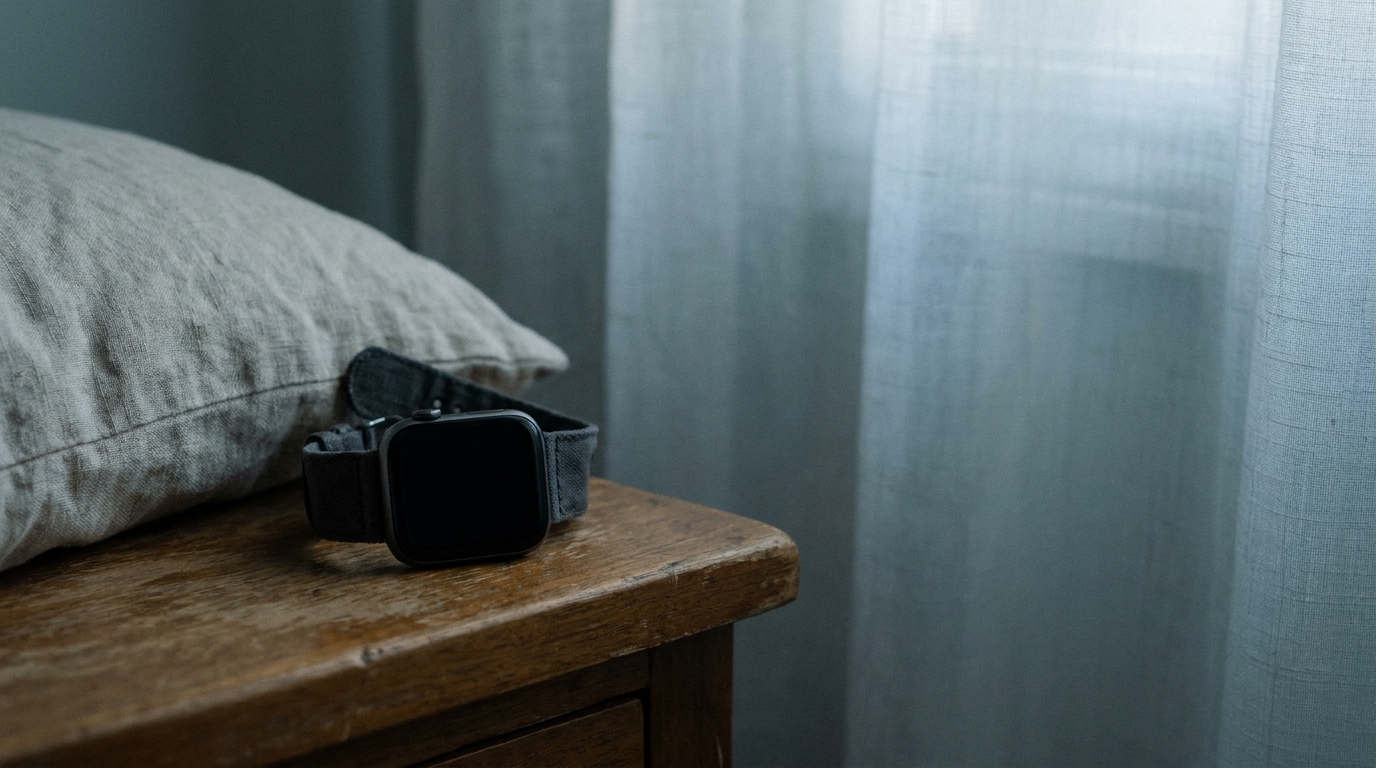
Obstructive sleep apnoea is when your airway keeps narrowing or closing while you sleep, so your breathing stops and starts through the night. It’s linked to loud snoring, waking up exhausted and dozing off during the day, and a lot of people who have it don’t know.
In September 2024 the FDA cleared Apple’s sleep apnoea notifications. The watch uses its accelerometer (the motion sensor that counts your steps) to pick up tiny wrist movements tied to interrupted breathing. It then looks at a 30-day window, and if your breathing disturbances keep coming up high, it suggests you talk to a doctor. You need to wear the watch to bed on at least 10 nights in that 30-day stretch, the feature is for adults aged 18 and over, and it works on recent models, Series 9 or later. Apple’s feature availability page lists it for the UK.
Apple’s own validation summary for sleep apnoea notifications is refreshingly blunt. In a study of 1,499 enrolled participants, the feature caught 66.3% of people with moderate to severe sleep apnoea and correctly stayed silent for 98.5% of people with normal breathing or mild apnoea. Translated: false alarms are rare, but it misses roughly a third of the people it’s looking for. The same document says that no notification doesn’t mean no sleep apnoea, and it isn’t meant for people already diagnosed.
So if your partner says you snore like a tour bus and stop breathing mid-snore, don’t wait for the watch to agree. That’s a GP appointment on its own.
Evidence level: cleared medical feature.
Falls and Wobbly Walking Sit a Rung Lower, and That’s Fine
Fall Detection on Apple Watch is a safety feature rather than a diagnosis. If the watch thinks you’ve taken a hard fall, it taps your wrist, sounds an alarm and shows an alert. If you then stay still for about a minute, it starts a 30-second countdown and rings emergency services unless you cancel. It switches on by default for people aged 55 and over and is available to anyone 18 or older. If you’ve ever wondered whether a mosh pit counts as a hard fall, the countdown exists for exactly that reason: you get up and you cancel it.
Walking Steadiness lives on the iPhone, not the watch. It uses the phone’s motion sensors to judge your balance, stability and coordination as you walk around with it in your pocket, then rates you OK, Low or Very Low. Apple built it on real-world data from the Apple Heart and Movement Study, which involved more than 100,000 participants, and it can send you a notification with balance exercises if your rating drops.
For most readers of this site, walking steadiness is a feature to switch on for a parent or grandparent rather than yourself. A fall in your seventies is a much bigger deal than a stumble outside a venue at 1am.
Evidence level: validated in studies for walking steadiness. Fall detection is a safety alert, not a medical test.
Your Voice May One Day Flag Low Mood, but Not Yet
This is the bottom of the evidence ladder, where headlines run ahead of the science. Researchers have been studying whether the way you talk (your pace, pauses, pitch and how flat your tone sounds) and the way you use your phone (typing speed, sleep timing, how much you leave the house) can hint at depression or anxiety. Some of the early findings are interesting. None of it, as far as I know, has become a regulated feature on a phone you can buy in the UK.
What you can use today is simpler. Apple’s Health app lets you log your mood and fill in two standard questionnaires, PHQ-9 for depression and GAD-7 for anxiety, which are the same short forms a GP might hand you. That’s you answering questions, not your phone listening in.
What follows is a guess, informed by a few of those product meetings rather than any published data: passive mood detection will reach phones as a wellness feature long before it reaches them as a medical one, because the privacy questions are harder than the maths. A phone that listens to your voice all day to judge your mood is a very different deal from a watch counting decibels at a gig.
Evidence level: research only.
Most of What Your Phone Tracks Is Not a Medical Test
Lined up together, the evidence ladder looks like this.
|
Signal |
Device or app |
Evidence level |
|---|---|---|
|
Noise exposure |
Apple Watch Noise app, iPhone headphone notifications |
Measurement only, not a diagnosis |
|
Hearing check |
Hearing Test with AirPods Pro |
Validated in studies |
|
Heart rhythm (AF) |
Apple Watch irregular rhythm notifications and ECG app |
Cleared medical feature |
|
Sleep apnoea |
Apple Watch sleep apnoea notifications |
Cleared medical feature |
|
Hard falls |
Apple Watch Fall Detection |
Safety alert, not a medical test |
|
Walking balance |
iPhone Walking Steadiness |
Validated in studies |
|
Voice and mood |
Academic research apps |
Research only |
Two of seven rows sit on the top rung. That’s a better hit rate than I’d have guessed five years ago, and it still leaves most of the dashboard as context rather than diagnosis. Step counts, “readiness” scores and stress rings can be useful for spotting your own patterns, like how badly a festival weekend wrecks your sleep, but none of them belong in the same sentence as a cleared AF alert.
What Should You Do If Your Phone Flags Something?
- Don’t panic, because an alert is a prompt, not a diagnosis. Every feature on the top rung is built to tell you to get checked, not to tell you what’s wrong. A notification means the pattern was worth a second look. Take a breath, sit down and read what the alert actually says.
- Check it isn’t a false reading. A loose strap, cold hands, a wrist tattoo or moving about can all throw off optical sensors. If you have the ECG app, sit still with your arm resting on a table and take a fresh reading. A noise alert next to the speaker stack, sadly, is probably accurate.
- Book your GP and bring the data. You can export ECG readings from the Health app as a PDF, and a screenshot of your breathing disturbances or hearing results helps too. Your GP may arrange a proper 12-lead ECG, a heart monitor or a sleep study referral, which is how an actual diagnosis gets made.
- Ring NHS 111 if you feel unwell but it isn’t an emergency. If your heart has been racing or fluttering on and off, or you feel off and can’t get a GP slot soon, 111 by phone or online can tell you how urgently you need to be seen.
- Call 999 for chest pain and the other red flags. The NHS says to call 999 if a fast or irregular heartbeat comes with chest pain or discomfort, breathlessness, fainting, or weakness or numbness on one side. Don’t drive yourself to A&E.
- Don’t read silence as a clean bill of health. No alert just means the feature didn’t spot its pattern. If you have symptoms, they count more than your watch does.
Wear the watch, pack the earplugs, and leave the diagnosing to your GP.